| 📰 Title: | Donkey Kong 64 (with Donkey Kong 64: Recompiled engine) | 🕹️ / 🛠️ Type: | Game |
|---|---|---|---|
| 🗃️ Genre: | Arcade | 👁️ Visual: | 3D |
| 🏷️ Category: | Arcade ➤ Platformer ➤ Donkey Kong | 🏝️ Perspective: | Behind view |
| 🔖 Tags: | Action Platformer; Puzzle elements; Donkey Kong; Fantasy; RT64; RmlUi; 1990s; Moddable; Day & Night; Weather; Controller | ⏱️ Pacing: | Real Time |
| 🐣️ Approx. start: | 2025-02-16 | 👫️ Played: | Single & Multi |
| 🐓️ Latest: | 2026-09-07 | 🚦 Status: | 01. Awaiting entry (no status) |
| 📍️ Version: | Latest: 1.0.2 // Dev: 0c44cb1 | ❤️ Like it: | 4. 🤗️⭐⭐ (good) |
| 🏛️ License type: | 🕊️💰 Libre with Commercial assets | 🎀️ Quality: | 1. 🏆️⭐⭐⭐⭐⭐ (perfect) |
| 🏛️ License: | Code : GPL-3 // Assets: Commercial | ⭐ (temporary): | |
| 🎰️ ID: | 16676 | 🐛️ Created: | 2026-09-10 |
| 💡 Lights on: | 🚧️ Some work remains to be done: | ||
|---|---|---|---|
| 📰 What's new?: | 💥️ New | 💭️ New version published (to be updated): | |
| 🦣️ Awaiting publication on Mastodon: | 🎨️ Significant improvement: | ||
| 🦺️ Work in progress: |  |
🎖️ This work: |  |
| 📰 Previous News: | 🛜️ RSS (on RSS Guard): | |
|
| 👫️ Contrib.: | goupildb | 🛜️ Reading frequency: | 0w (well-spaced updates) |
| 🐜️ Updated: | 2026-09-10 |
| 📦️ Package name: | ..... 📦️ Arch: | ||
|---|---|---|---|
| 📄️ Source: | |
..... 📦️ RPM: | |
| ⚙️ Generic binary: | |
..... 📦️ Deb: | |
| 🌍️ Browser version: | ..... 📦️ AppImage: | ||
| 📱️ Mobile support: | ..... 📦️ Flatpak: | ||
| 🧹️ Not use: | ..... 📦️ Snap: |
🏝️ Trailer: (202xxx♺),
📰 Progress: Mr. Sujano (202608),
🎲️ Gameplay: (202xxx♺), (202xxx♺), (202xxx♺),
🏡️ Website & videos
• Website: [Homepage] [Dev site] [Features/About] [Screenshots]
• Videos: t(202606) gd(202xxx) gu(202xxx) r(202xxx) lp(202xxx) ht(202xxx)
ht(202xxx) ht(202xxx) ht(202xxx) ht(202xxx) ht(202xxx) ht(202xxx) ht(202xxx)
g(202xxx) g(202xxx) g(202xxx) g(202xxx) g(202xxx) g(202xxx) g(202xxx) g(202xxx) g(202xxx) g(202xxx) g(202xxx) g(202xxx) g(202xxx)
g[fr](202xxx) g[de](202xxx) g[ru](202xxx) g[pl](202xxx) g[cz](202xxx) g[sp](202xxx) g[pt](202xxx) g[it](202xxx) g[tr](202xxx)]
• Doc: [WIKI] [FAQ]
• Updates: [RSS] / [Changelog 1(news/blog) 2(release notes) 3(tags) 4(commits)]
💰 Commercial
• (empty):
🍩️ Resources
• (empty, license): [Homepage] [Dev site] 🎬️ g(202xxx)
🛠️ Technical informations
[PCGamingWiki] [MobyGames]
🦣️ Social
(Donkey Kong 64: Recompiled engine) Devs (Donkey Kong 64: Recompiled engine Team 1 2 [fr] [en]): [Site 1 2] [Chat] [mastodon] [Bluesky] [PeerTube] [YouTube] [PressKit] [Interview 1(202xxx) 2(202xxx)]
(Donkey Kong 64) Devs (Rare Ltd (aka Rareware) 1 2 [fr] [en]): [Site 1 2] [Chat] [mastodon] [Bluesky] [X] [Facebook] [PeerTube] [YouTube] [PressKit] [Interview 1(202xxx) 2(202xxx)]
The Project: [Blog] [Chat] [Forums] [mastodon] [Bluesky] [PeerTube] [YouTube] [PressKit] [Lemmy] [reddit] [Discord]
🐝️ Related
[Wikipedia (Donkey Kong 64) [fr] [en] [de]]
📦️ Misc. repositories
[Repology] [pkgs.org] [Generic binary] [Arch Linux / AUR] [openSUSE] [Debian/Ubuntu] [Flatpak] [AppImage(author's repo)] [Snap] [PortableLinuxGames]
🕵️ Reviews
[HowLongToBeat] [metacritic] [OpenCritic] [iGDB]
🕊️ Source of this Entry: [Mr. Sujano (20260830)]
🦣️ Social Networking Update (on mastodon)
️🕹️ Title: Donkey Kong 64 (with Donkey Kong 64: Recompiled engine)
🦊️ Idea:
🏡️ https://dk64recomp.com
🐣️ https://github.com/Rainchus/Donkey-Kong-64-Recompiled
🔖 #LinuxGaming #Platformer #PuzzleElements #DonkeyKong
📦️
📕️ https://lebottinlinux.vps.a-lec.org/LO.html
🥁️ Update: 1.0.2
⚗️ Signific. vers. 🦍️
📌️ Changes: https://github.com/Rainchus/Donkey-Kong-64-Recompiled/releases
🦣️ From: https://www.youtube.com/embed/8Nyr0JF4-MY?start=0
🛜️ https://github.com/Rainchus/Donkey-Kong-64-Recompiled/tags.atom
🏝️ https://www.youtube.com/embed/RYIZZZ33vAI
🦉️ https://www.youtube.com/embed/
🐹️ https://www.youtube.com/embed/
🕵️ https://www.youtube.com/embed/
🕯️https://www.youtube.com/embed/
🕯️https://www.youtube.com/embed/
🕯️https://www.youtube.com/embed/
🕯️[fr] https://www.youtube.com/embed/
🎲️ https://www.youtube.com/embed/
🎲️ https://www.youtube.com/embed/
🎲️ https://www.youtube.com/embed/
🎲️[fr] https://www.youtube.com/embed/
🎲️👤️https://www.youtube.com/embed/
🎲️👤️https://www.youtube.com/embed/
🎲️👥️ https://www.youtube.com/embed/
🎮️ https://www.youtube.com/embed/
🎮️ https://www.youtube.com/embed/
🎮️ https://www.youtube.com/embed/
🐧https://www.youtube.com/embed/
🐧https://www.youtube.com/embed/
🕶️
📚️ Donkey Kong 64 is a
🕵 xxx: (🧪️Not_tested)
📜️ "blabla" 📜️
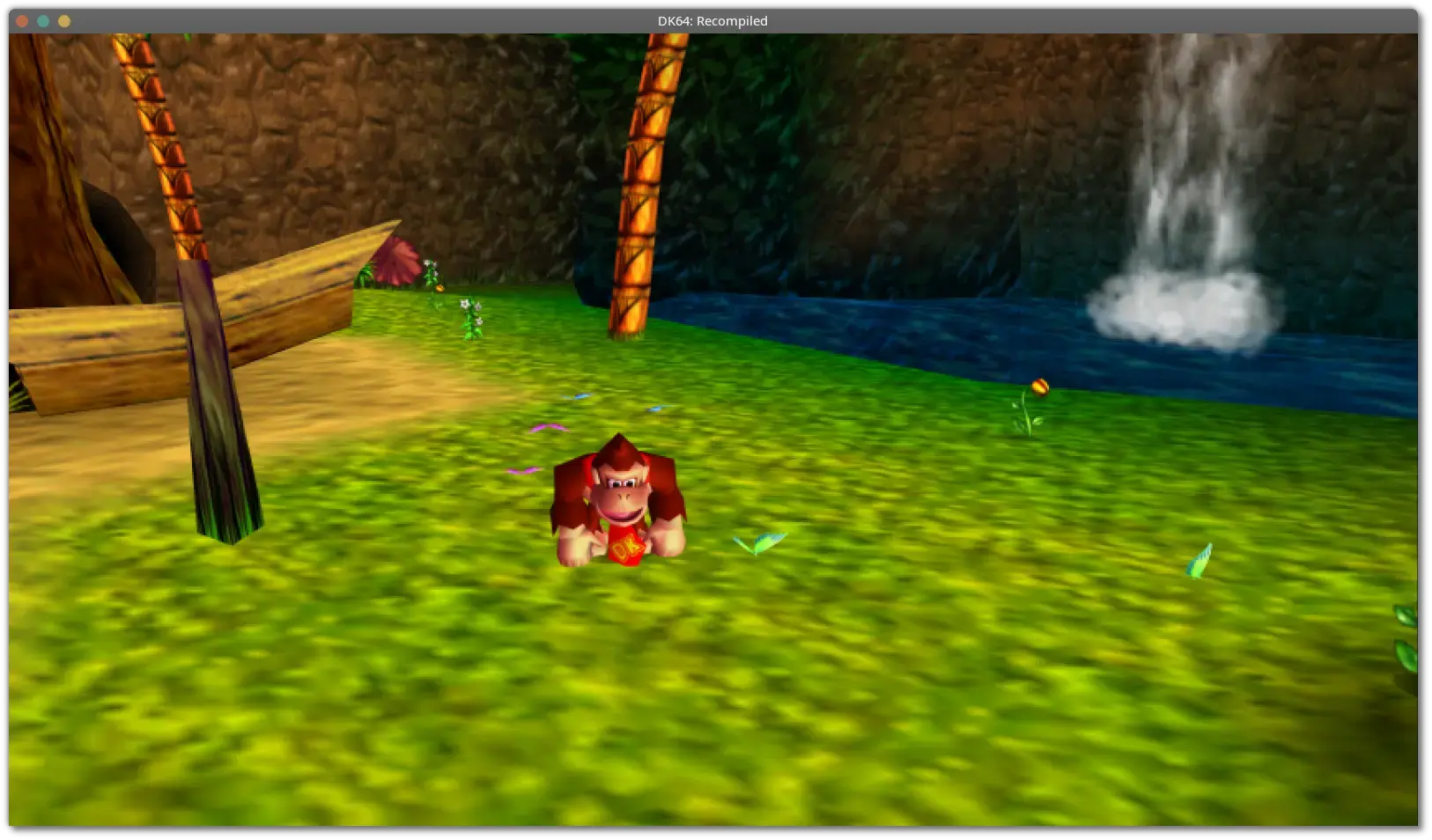
Donkey Kong 64: Recompiled is a project that uses N64: Recompiled to statically recompile Donkey Kong 64 into a native port with many new features and enhancements. This project uses RT64 as the rendering engine to provide some of these enhancements.
Features
✅️ Fully Intact N64 Effects
A lot of care was put into RT64 to make sure all graphical effects were rendered exactly as they did originally on the N64. No workarounds or "hacks" were made to replicate these effects, with the only modifications to them being made for enhancement purposes such as widescreen support.
✅️ Easy-to-Use Menus
Gameplay settings, graphics settings, input mappings, and audio settings can all be configured with the in-game config menu. The menus can all be used with mouse, controller, or keyboard for maximum convenience.
✅️ High Framerate Support
Play at any framerate you want thanks to functionality provided by RT64! Game objects and terrain, texture scrolling, screen effects, and most HUD elements are all rendered at high framerates. By default, this project is configured to run at your monitor's refresh rate. You can also play at the original framerate of the game if you prefer. Changing framerate has no effect on gameplay.
Note: External framerate limiters (such as the NVIDIA Control Panel) are known to potentially cause problems, so if you notice any stuttering then turn them off and use the manual framerate slider in the in-game graphics menu instead.
✅️ Widescreen and Ultrawide Support
Any aspect ratio is supported, with most effects modded to work correctly in widescreen. The HUD can also be positioned at 16:9 when using ultrawide aspect ratios if preferred.
Note: Some animation quirks can be seen at the edges of the screen in certain cutscenes when using very wide aspect ratios.
✅️ Additional Control Options
Customize your experience by setting your stick deadzone to your liking, as well as adjusting the X and Y axis inversion for aiming.
✅️ Low Input Lag
This project has been optimized to have as little input lag as possible, making the game feel more responsive than ever!
✅️ Instant Load Times
Saving and loading files, going from place to place, and pausing all happen in the blink of an eye thanks to the game running natively on modern hardware.
✅️ Linux and Steam Deck Support
A Linux binary is available for playing on most up-to-date distros, including on the Steam Deck.
To play on Steam Deck, extract the Linux build onto your deck. Then, in desktop mode, right click the DK64Recompiled executable file and select "Add to Steam". From there, you can return to Gaming mode and configure the controls as needed. See the Steam Deck gyro aim FAQ section for more detailed instructions.
, Donkey Kong 64 par Rare Ltd (aka Rareware), Donkey Kong 64: Recompiled engine par la Donkey Kong 64: Recompiled engine Team.
Donkey Kong 64 est un jeu d'action en plateforme en 3D avec des éléments de puzzle sorti en 1999 (développé par le studio Rare)
⚙️ Installation à partir du binaire
⛓️ Installation à partir du binaire classique :
• Un binaire statique est disponible, décompressez le livrable, et rendez son binaire exécutable (clic droit sous votre gestionnaire de fichier).
📄️ Installation à partir du source
• Source non testé.
🏕️ Installation du contenu / des données :
• ROM du jeu : Ce jeu/moteur vous permet de jouer nativement sous Linux avec la ROM du jeu (voir la section "Resource" ci-avant pour le nom de la ROM nécessaire) extraite de la console ou téléchargée sur internet. Attention : le téléchargement de ROMS commerciales est illégal à moins de les avoir acquises financièrement.
▸ Assemblage de l'émulateur et des données (ROMs de jeu) :
• Copiez la ROM de jeu dans le répertoire de votre choix et décompressez-la (elle doit être au format *.z64).
• Lancez le moteur : $ ./DK64Recompiled
• Dans son menu cliquez sur "Load ROM" et sélectionnez votre ROM (au format *.z64)
💡 Nota : Une fois installé, les données semblent rester dans le répertoire courant d'installation (je n'ai pas trouvé de recopie dans le Home)
🚀️ LANCEMENT DU JEU
▸ Classique :
• Si vous l'avez installé à partir d'un paquet / dans l'un des répertoires système : [Alt+F2] DK64Recompiled ou $ DK64Recompiled
• Ou, rendez son binaire exécutable (clic droit sous votre gestionnaire de fichier) et cliquez dessus, ou dans son répertoire racine lancez : $ ./DK64Recompiled
💡 Nota : si vous l'avez installé via votre gestionnaire de paquets et ne connaissez pas le nom précis du binaire, sélectionnez le paquet dans votre gestionnaire, et dans l'onglet “Fichiers” recherchez son nom dans l'arborescence d'installation (le binaire est généralement installé dans /usr/bin/).